
In this article I will show you how you can swap lines. I will use an example and show you what is important. Let’s dive in.
Consider the following example code:
# Preparations
Remove-Item $home\file*.txt -Force

# Create File
$file = 'File01.txt'
New-Item -ItemType File -Name $file -Path $home -Value "Line1`nLine2" -Force
Get-Content -Path $home\$file

# Swap line 1 and line 2
$content = Get-Content -Path $home\$file
Add-Content -Path $home\file02.txt -Value "$($content[1])`n$($content[0])" -Force
Get-Content $home\file02.txt
First, we delete all files named file*.txt in your home folder.
Then we create a new file with two lines.
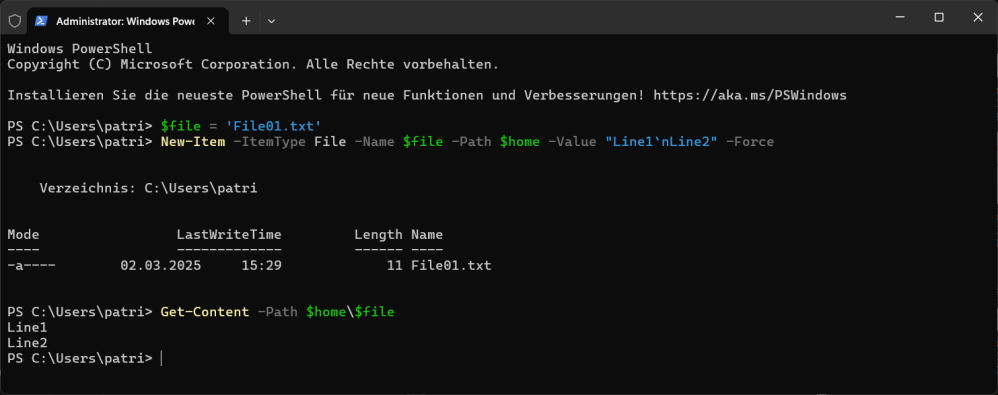
As you can see, I now have two lines. How to swap them?
Consider that the content of the file is an array. We can retrieve the first item with [0] and the second item with [1]. You can see the action in the last section of our example code.
We simply retrieve the content of the original file. Then we paste the changed content into a new file. Remember that you cannot edit a file directly in PowerShell, you have to create a new file with the new content.
Here is a screenshot of it.

I have to admit that this chaos of brackets is not easy to read. 😉
That’s it. Mission accomplished.
Categories: PowerShell

 My name is Patrick Gruenauer. From Austria.



 SID-500.COM
1 reply »