
We are living in a big data world which is both a blessing and a curse. Big data usually means a huge number of files such as photos and videos and finally […]

We are living in a big data world which is both a blessing and a curse. Big data usually means a huge number of files such as photos and videos and finally […]
As adminstrator you are not only responsible for assigning group policies or playing the cop who always watch what users do or not. A major part of your duties is to make […]
With PowerShell 7 new operators were introduced. We call them chain operators. Chain operators enables you to do something after doing something. They use the $? and $LASTEXITCODE variable to determine whether […]
So you are about to document your network and os environment? You don’t want to purchase 3rd party software? You want to list all server roles from all servers in your network? […]

Mailbox auto-reply settings are usually created and defined by the users himself. If you want to get an overview of the auto-reply settings of your organization you have to ask every user: […]
With PowerShell 7 a new feature was introduced: Foreach-Object -Parallel. The parallel feature will speed up loops in PowerShell. In this blog post I will compare the old technique with the new […]

Vielen Dank für den tollen Nachmittag mit PowerShell 5 und PowerShell 7. Anbei einige Pics und Unterlagen … Fotos Roman Stadlmair mit den 3 wichtigesten Regeln in Action … … showing code […]
In one of my previous articles I dedicated myself to the modern version of ping called Test-Connection. I recently discovered that the cmdlet in PowerShell Core 7 offers more parameters than in […]

Lately, I’ve prepared some PowerPoint slides for the scripting module of a course for ongoing system engineers. Now it’s time to share my work with the PowerShell community. The slides are about […]
More and more companies are moving to the cloud. Subscribing cloud services means less hardware maintenance, more comfort, and an “always-on” feeling. As an administrator, you have to get familiar with the […]
The goal for this blog post is to demystify the usage of PowerShell brackets for scripters and PowerShell enthusiasts. You can find braces everywhere, in scripts, in the PowerShell help and in […]

PowerShell automatic variables are stored and maintainanced by PowerShell. This applies to Windows PowerShell that is shipped with every Windows operating system as well as PowerShell downloaded via GitHub.
The $LASTEXITCODE variable returns a code that tells you whether the last operation was successful or not. There’s another variable that is similiar and it is called $?. $? tells us if […]

This write up should give you a basic understanding how pipeline objects are processed. The piping technique allows a kind of connection between commands. Piping is a key technologie in PowerShell. In […]
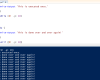
Understanding the differences between a do-while, do-until and while loop could be confusing. Is it the same? Why then two different techniques?

Awarded the Microsoft MVP for PowerShell and Microsoft 365.




 SID-500.COM