
The Microsoft Secure Boot certificate expires in 2026. Here is a PowerShell script that retrieves the Secure Boot boot certificate information from all domain computers and checks whether they contain the CA 2023 certificate, and not older certificates.
Let’s dive in.
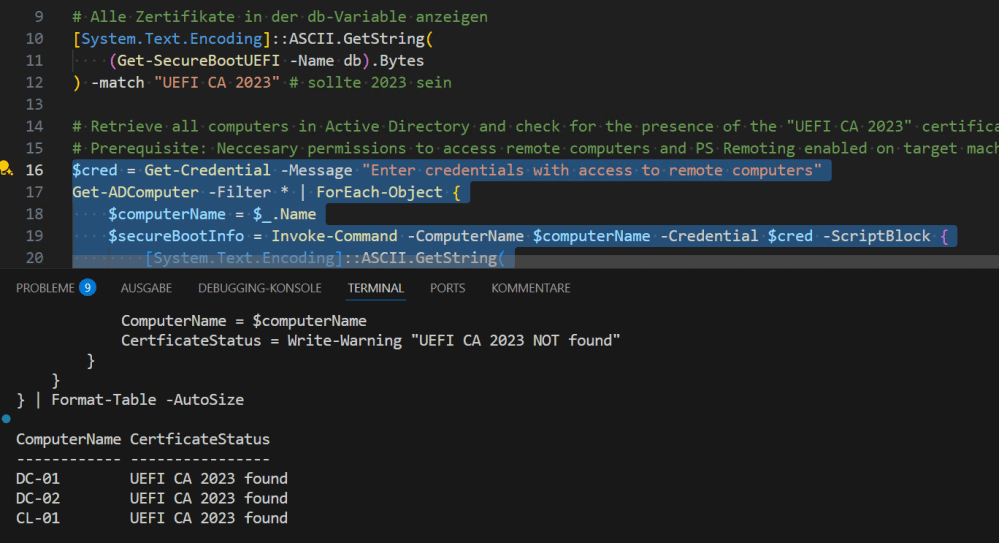
Run the following code on a domain controller to retrieve information about the currently installed Secure Boot certificates on your remote computers. All systems should report the CA 2023 certificate.
# Retrieve all computers in Active Directory and check for the presence of the "UEFI CA 2023" certificate
# Prerequisite: Neccesary permissions to access remote computers and PS Remoting enabled on target machines (via GPO or Enable-PSRemoting)
$cred = Get-Credential -Message "Enter credentials with access to remote computers"
Get-ADComputer -Filter * | ForEach-Object {
    $computerName = $_.Name
    $secureBootInfo = Invoke-Command -ComputerName $computerName -Credential $cred -ScriptBlock {
        [System.Text.Encoding]::ASCII.GetString(
        (Get-SecureBootUEFI -Name db).Bytes
        ) -match "UEFI CA 2023" # sollte 2023 sein
    }
    if ($secureBootInfo -eq $true) {
        [PSCustomObject]@{
            ComputerName = $computerName
            CertficateStatus = "UEFI CA 2023 found"
        }
    } else {
        [PSCustomObject]@{
            ComputerName = $computerName
            CertficateStatus = "UEFI CA 2023 NOT !!! found"
        }
    }
} | Format-Table -AutoSize
See you next time with PowerShell.
Categories: PowerShell, Windows 10, Windows 11, Windows Server

 My name is Patrick Gruenauer. From Austria.



 SID-500.COM