
What files are open? Who is connected to the file server? Those informations might be useful for backing up, maintaining or restarting your file server. To accomplish this task run Get-SmbOpenFile to show the path of the share, the open files and the connected user.
Get-SmbOpenFile
Open Windows PowerShell an run
Get-SmbOpenFile | Format-List

To show only connections for a specific file share run Get-SmbOpenFile with Where-Object.
Get-SmbOpenFile | Where-Object Path -eq "C:\Data\" | Format-List

Get-SmbSession
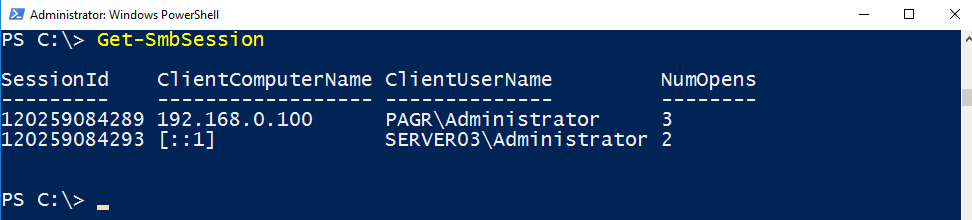
To show all connections run
Get-SmbSession
Closing open files
My next task is to close those open files. First, I look for the FileId.

For this file, it’s all over now 😉
Close-SmbOpenFile -FileId 120259084297
Categories: PowerShell

 My name is Patrick Gruenauer. From Austria.



 SID-500.COM
How can an ordinary user be allowed to use these cmdlets?
LikeLike
You could look at JEA as a possible solution.
LikeLike
Useful, thanks 🙂
Now I can get to work o creating some functions to do this remotely for our helpdesk…
LikeLike
It’s my pleasure …
LikeLike