
As the headline says, I am going to show you which tools are no longer needed when you are familiar with PowerShell. No long speeches today, just examples. I’m pretty sure some of you will find something new here. Let’s start …
WinZip / 7zip
With PowerShell 5.0 two new commands are introduced: Compress-Archive and Expand- Archive. The commands compress and decompress data.
Compress-Archive -Path C:\Temp\* -DestinationPath C:\Temp\Compressed.zip

Expand-Archive -Path C:\Temp\Compressed.zip -DestinationPath C:\Temp\

Article: Use PowerShell to create compressed ZIP files
Makecert
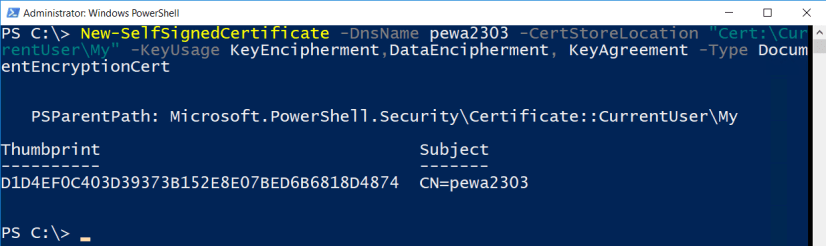
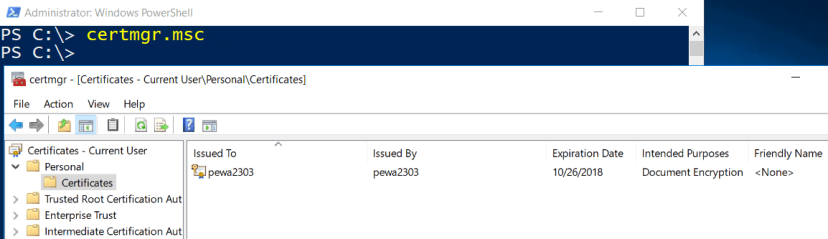
To create a certificate for digital signing, encryption and more enter
New-SelfSignedCertificate -DnsName pewa2303 -CertStoreLocation "Cert:\CurrentUser\My" -KeyUsage KeyEncipherment,DataEncipherment, KeyAgreement -Type DocumentEncryptionCert
Microsoft Docs: https://docs.microsoft.com/en-us/powershell/module/pkiclient/new-selfsignedcertificate?view=win10-ps
Various Encryption Tools vs. Protect-CMSMessage
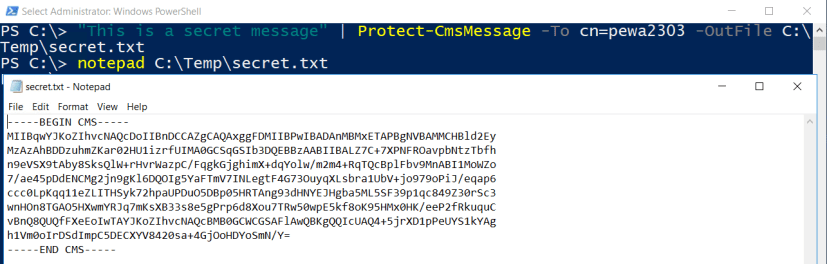
The Protect-CmsMessage cmdlet encrypts content. Make sure, you’re running PowerShell 5.0 or above and you have created a certificate as shown above.
"This is a secret message" | Protect-CmsMessage -To cn=pewa2303 -OutFile C:\Temp\secret.txt
To decrypt data run
Unprotect-CmsMessage -Path C:\Temp\secret.txt

Article: PowerShell: Encrypt and Decrypt Data by using Certificates (Public Key / Private Key)
Putty
Putty is a great tool. If you want to connect to remote hosts you can also use the PowerShell Module Posh-SSH.
First install it via online repository.
Find-Module Posh-SSH | Install-Module
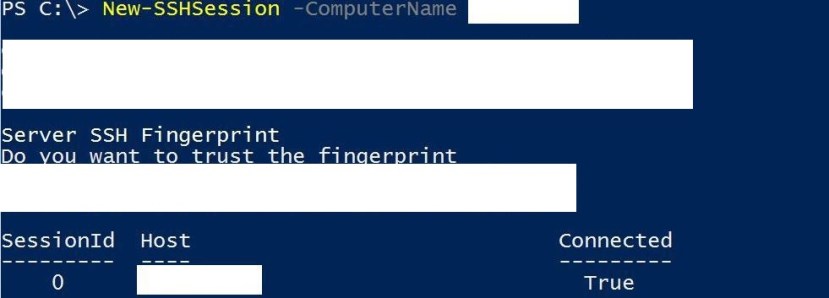
Then connect to your Linux, Cisco or whatever host.
New-SSHSession -ComputerName Server01
Then run your commands.
Invoke-SSHCommand -SessionId 0 -Command cut -d: -f1 /etc/passwd

Article: PowerShell: Use SSH to connect to remote hosts (Posh-SSH)
Nmap
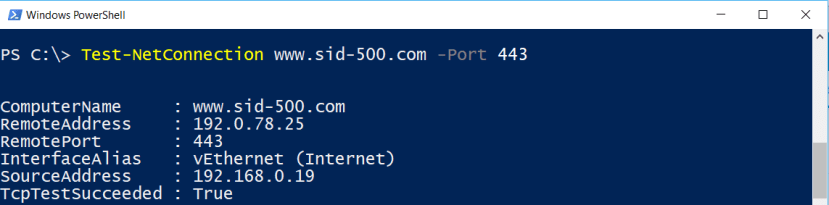
The following can’t compete with nmap, but it is included with Windows and ready to go out of the box.
Test-NetConnection www.sid-500.com -Port 443
Article: PowerShell: Check open/closed ports with Test-NetConnection
HashCheck or what they are called
To view the hash of a file run
Get-FileHash -Path C:\Patrick\Data.txt | Format-List

Article: PowerShell: Checking integrity with Get-FileHash
Everest
If you are familiar with WMI, you can check everything about your system.
Get-WmiObject win32_physicalmemory | Format-Table Manufacturer,Banklabel,Configuredclockspeed,Devicelocator,Capacity,Serialnumber -autosize

Article: PowerShell: Getting RAM Info by manufacturer, speed, serial number and capacity
Various ping tools
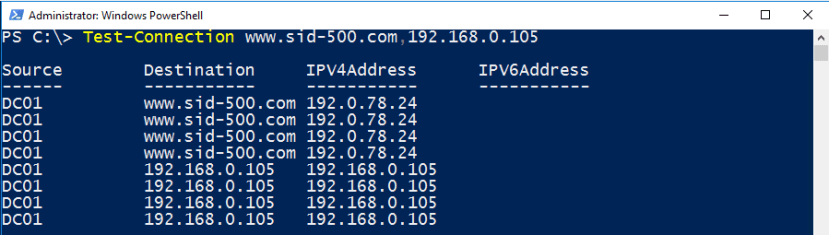
If you want to do a ping to multiple hosts use Test-Connection.
Test-Connection www.sid-500.com,192.168.0.105
Quiet Mode
Test-Connection sid-500.com,192.168.0.105 -Quiet

Article: The modern version of ping: Test-Connection
Conclusion
There are two reasons why Windows users install so many 3rd party tools: Either the tools are better than the supplied tools or there is a lack of knowledge.
In any case, before deciding to install a tool, you should take a look around to see if it is possible with Windows onboard tools.
I hope the contribution was helpful and informative.
Categories: PowerShell, Windows 10, Windows Server

 My name is Patrick Gruenauer. From Austria.



 SID-500.COM
3 replies »