
This blog posts is all about PowerShell data types. What is a PowerShell data type? Data Types define what you can do with a PowerShell object. For example, a datetime object supports […]

This blog posts is all about PowerShell data types. What is a PowerShell data type? Data Types define what you can do with a PowerShell object. For example, a datetime object supports […]

Have you always wanted to make your script more professional? A progress bar adds professionalism to your work. And it gives the user information how long your script will run and what […]

The function covered in this blog post is part of my Active Directory Domain Services Section tool, which has been published in 2018. After some time, I decided to create an explicit […]

As an administrator, you should have an overview of your Active Directory environment. Of course, this also includes user and computer accounts . In this blog post I will carry out some […]

Recently, I discovered three PowerShell Core variables that could be very helpful when it comes to determining the operating system in PowerShell. PowerShell has become a cross-platfrom tool and can be installed […]

More and more companies are migrating to Office 365. This applies above all to small and medium-sized enterprises. This trend can hardly be stopped. So I decided to focus more on this […]

Liebe Leser und Follower! Ich wurde heute erneut zum Microsoft MVP für die Kategorie Cloud & Datacentermanamgent in der Unterkategorie PowerShell ausgezeichnet. Letztes Jahr war mein erstes Jahr als MVP und es […]
Last weekend I successfully created an automation account in Azure to auto start-stop my Azure VMs as described here: Start/Stop VMs during off-hours solution in Azure Automation. Right after that I realized […]

So you are about to provide a new file server. Several folder shares have to be created. If you don’t want to point and click inside the graphical interface, you might consider […]

If you use PowerShell often, a title bar of your own will make a powerful impression. You certainly have noticed that my screenshots always show the entire console window and you also […]
Do you have problems with time synchronization in your Active Directory domain or are you only interested in monitoring and determining the system time of your servers, workstations or domain-controllers? If your […]
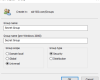
Who are the group members? The members of a distribution group can be listed by any user in Outlook. Sometimes you don’t want that. This is what the group attribute hideDLMembership stands […]

The default projector setting in Windows 10 is set to “Extend”. If you want to change that behavior, you have to press Windows key + P and select “Duplicate”. In this blog […]

Creating a bootable USB stick could be a tricky task. You’ll need a tool (eg. the Windows 7 USB/DVD tool) or you have to struggle with those old cmd commands like bootsect.exe. […]
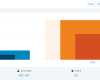
2018 comes to an end. My website is now the 2nd year online. I think it’s time for a review, a review about my stats and a review about my work. A […]

Awarded the Microsoft MVP for PowerShell and Microsoft 365.




 SID-500.COM