
Es war ein Donnerstag, 06:15. Du sitzt gemütlich mit einem Kaffee auf deiner Couch und siehst die Neuigkeiten der Nacht durch. Schon halb am Weg ins Bad liest du die Vorschau einer […]

Es war ein Donnerstag, 06:15. Du sitzt gemütlich mit einem Kaffee auf deiner Couch und siehst die Neuigkeiten der Nacht durch. Schon halb am Weg ins Bad liest du die Vorschau einer […]

Long time ago I’ve created a small function that acts like a port scanner. It’s not a replacement for enterprise scanners such as nmap, but it’s quite useful for quick tests when […]

To download files from the Internet you can use the graphical interface or a command from the PowerShell module BitsTransfer. In this blog post, I show how to download files with Windows […]
Easy as can be. It’s not a rocket science to create your first PowerShell command in and save it as a module. Maybe your colleagues will get big eyes when you present […]
In one of my previous posts “PowerShell: Documenting your work with Start-Transcript” I’ve described how to manually configure PowerShell Transcripting by using the command Start-Transcript. In this article I show how to […]
In this article I would like to enlight the purpose of temporary IPv6 addresses. By default, automatic IPv6 setup of Link-Local Addresses is activated on each IPv6 enabled device. This makes IPv6 […]

Access based enumeration enables you to configure advanced display options for shared folders. If a user is mapped to a network drive and this network drive has the Access Based Enumeration Feature […]

Most of us use https. Almost every communication is secured and encrypted with https. In this article I would like to discuss the HTTPS process in more detail and what role certificates […]
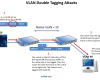
VLANs are used for Layer 2 logical segmentation. Each VLAN forms its own broadcast domain. Communication between VLANs is only possible by a router, such as a Layer 3 Switch or a […]
There are many encryption and decryption tools around. PowerShell is a Windows built-in tool and you can use it for cryptography as well. In this blog post I am going to play […]
In this blog post, I am going to shed some light on the new Windows Server 2016 Microsoft certifications. Much has changed and, following the general trend in education, it seems !? […]
After some discussions with colleagues they convinced me, against my humble opinion so far, that my blog has made a really rapid start. That makes me happy, but actually I don’t know much […]
In this article, a certificate for a digital signature is created to digitally sign files with Windows PowerShell. A digital certificate is usually issued by a Certification Authority (CA). But in this […]
For some reason, I don’t like netstat. Never did. Fortunately PowerShell provides a similar command to netstat: Get-NetTCPConnection. Let’s discover the options of this command in form of this blog post.
While reading great news and improvements about the Windows 10 Fall Creators Update (1709), it might be useful to find out if the update is already installed or not.

Awarded the Microsoft MVP for PowerShell and Microsoft 365.




 SID-500.COM