
In most cases a blue screen is caused by hardware or driver failure. In this article I show how to find out the cause of the blue screen by using the tool […]

In most cases a blue screen is caused by hardware or driver failure. In this article I show how to find out the cause of the blue screen by using the tool […]

Administering your Azure VM on your Samsung Galaxy or iPhone? Introduced with Windows Server 2012, PowerShell Web Access is a new Windows Server feature which enables you to administer your Windows Server […]

I’ve been thinking about it for a long time. What schould I do with my new Azure computer? Surely I’ll come up with something over time. But for now I still don’t […]

Azure can be tried out for free for a short period. For me it’s the first time I’m playing with Microsoft Azure. Last week I used my subscription to create my first […]

What if a domain controller fails? Operations Masters have special tasks which must be performed by Domain Controllers in an Active Directory domain. If a Domain Controller fails, this special role must […]

There is more than enough monitoring software around. Most of them are really helpful and superbly done. For those who don’t have such software at hand, there are only 2 options: to do […]

Es war ein Donnerstag, 06:15. Du sitzt gemütlich mit einem Kaffee auf deiner Couch und siehst die Neuigkeiten der Nacht durch. Schon halb am Weg ins Bad liest du die Vorschau einer […]
Long time ago I’ve created a small function that acts like a port scanner. It’s not a replacement for enterprise scanners such as nmap, but it’s quite useful for quick tests when […]

To download files from the Internet you can use the graphical interface or a command from the PowerShell module BitsTransfer. In this blog post, I show how to download files with Windows […]
Easy as can be. It’s not a rocket science to create your first PowerShell command in and save it as a module. Maybe your colleagues will get big eyes when you present […]
In one of my previous posts “PowerShell: Documenting your work with Start-Transcript” I’ve described how to manually configure PowerShell Transcripting by using the command Start-Transcript. In this article I show how to […]
In this article I would like to enlight the purpose of temporary IPv6 addresses. By default, automatic IPv6 setup of Link-Local Addresses is activated on each IPv6 enabled device. This makes IPv6 […]

Access based enumeration enables you to configure advanced display options for shared folders. If a user is mapped to a network drive and this network drive has the Access Based Enumeration Feature […]

Most of us use https. Almost every communication is secured and encrypted with https. In this article I would like to discuss the HTTPS process in more detail and what role certificates […]
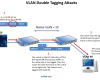
VLANs are used for Layer 2 logical segmentation. Each VLAN forms its own broadcast domain. Communication between VLANs is only possible by a router, such as a Layer 3 Switch or a […]

Awarded the Microsoft MVP for PowerShell and Microsoft 365.





