
Systeminfo gives you a perfect overview of your system. But what about the other systems in your domain? Sure, you can use 3rd Party Tools or SCCM. But the number of those […]

Systeminfo gives you a perfect overview of your system. But what about the other systems in your domain? Sure, you can use 3rd Party Tools or SCCM. But the number of those […]
In this blog post I will show you how to extend your trial period to three years. The evaluation version of Windows Server 2016 / 2022 is valid for 180 days and […]

This blog post describes how to join a computer to the domain by using the graphical user interface or running a simple One-Liner in Powershell.
Under certain circumstances the installation of software can only take place at a specific time. This article describes the establishing of a scheduled installation on the localhost and on remote hosts.
In diesem Beitrag wird Step-by-Step ein Windows Server, welcher auf Deutsch installiert wurde, auf Englisch umgestellt – für alle Benutzer. Viele hadern mit dem Problem der Sprache. Einst Deutsch gewählt, ist jetzt […]
If you install Roles and Features with PowerShell, Install-WindowsFeature is your friend. Get-Windowsfeature gets information about installed or available Server Roles. This blog post shows you how to get a list of […]
By running a simply PowerShell One-Liner we are able find all expired certificates stored in the Certificate Store. The store is accessible by using the PowerShell Drive cert:. To show all expired […]
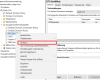
Wer hat die Gruppenrichtlinie gelöscht und warum gibt es kein Backup? Nicht mehr verwendete Gruppenrichtlinien können – bevor man beabsichtigt sie zu löschen – gesichert werden. Eine Wiederherstellung ist problemlos möglich.
A user tries to log on to the domain. The login is done successfully. Shortly thereafter, the user reports that he can not access his files on the fileserver, nor can he send e-mails.
Client Computers update Group Policies every 90 minutes. In this blog post I force gupdate on all client computer of an organizational unit by running a PowerShell command from a remote computer.
The following guide describes the basic configuration of a Windows Server Core running Windows Server 2012 and Windows Server 2016.
Nslookup is a command-line tool for dns name resolution. Resolve-DnsName is the modern version of nslookup. In this blog post I am going to show how to use Resolve-DnsName to query DNS host names […]
In this article i will show how to connect to remote hosts and how to configure the list of Trusted Hosts. Because with the introduction of Windows Server Core and Nanoserver, the significance of Windows PowerShell Remoting has increased.

Ich möchte mit diesem Beitrag in Bezug auf die neuen Microsoft Zertifizierungen ein wenig Licht ins Dunkel bringen. Es hat sich vieles verändert, und es ist – dem allgemeinen Trend in der […]
If the memory is to be upgraded, then you have to find out whether the new memory is compatible. And you have to find out the type of your currently installed memory. The device manager does not provide any information about this.

Awarded the Microsoft MVP for PowerShell and Microsoft 365.




 SID-500.COM