
In grown environments it often comes to a complete confusion. Employees in departments are group members in groups in which they should not be member of. If there is a clean and […]

In grown environments it often comes to a complete confusion. Employees in departments are group members in groups in which they should not be member of. If there is a clean and […]
Last time we filtered objects with the filter method and with Where-Object. In this part I would like to go back to the basics, to go back to something we haven’t learned […]
We have already learned a lot about PowerShell. Last time we worked with WMI: PowerShell for Beginners (Part 9): Get it all from Windows with PowerShell and WMI Now, in my opinion, it […]
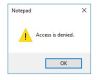
Have you always wanted to manipulate Windows error messages? Starting with Windows Server 2012, and of course also with Windows Server 2016 there is the possibility to do this. The prerequisite for […]
Have you always dreamed of fine-tuning permissions? PowerShell JEA makes it possible. The user only sees what he should see and can only do what he should do. With a few simple […]
In articles, blogs and forums I often read that Windows forms the IPv6 address from the MAC address. This process is called EUI-64, and the assumption that Windows (Vista and above) use […]

Enivornment Variables make life easier. In this article I describe how to use environment variables in daily work. And I am going to show some useful examples.
As the headline says, I am going to show you which tools are no longer needed when you are familiar with PowerShell. No long speeches today, just examples. I’m pretty sure some of […]
What actually happens in the background when a domain client authenticates itself to the domain? That’s the question for today’s post. Ok, let’s go into the details. We assume that the computer has […]
With WSUS you are able to document the updates status of your computers. But what to do if there is no WSUS available? In this article I describe how to get a […]
As the headline says, it’s all about port scanning today. When a computer sends SYN to another computer, the remote computer will usually answer with SYN + ACK or RST. By this […]
Last time we’ve dealt with objects: PowerShell for Beginners (Part 8): The Power of PowerShell – Getting in Touch with Objects (Get-Member, Select-Object). Of course, I was thinking something. Part 8 is a […]
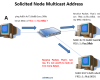
IPv6 enabled devices generate Link-Local addresses automatically. Not just Link-Local Addresses, but also a Solicited Node Multicast Address. Solicited Node Multicast Addresses are used by the Neighbor Discovery Protocol (NDP) to discover […]

Hyper-V is the major competitor to VMWare. In this post I am going to install a Hyper-V host. Afterwards, a guest is put into operation. Everything with PowerShell. Well, what else? 😉
After the part PowerShell for Beginners (Part 7): The Pipe (and many examples to play with), we are now going to concentrate on objects. The basics you can build on. But before we will […]

Awarded the Microsoft MVP for PowerShell and Microsoft 365.




 SID-500.COM