
I’ve experienced that many people deliberately disable the Windows firewall. They don’t want to get annoyed with it, if something don’t work as expected. But there’s nothing to worry about, because it […]

I’ve experienced that many people deliberately disable the Windows firewall. They don’t want to get annoyed with it, if something don’t work as expected. But there’s nothing to worry about, because it […]
Firewalls control traffic. They use technology such as Stateful Inspection to establish a connection to other networks. In this article I describe how to configure the host-based Windows Firewall by using Windows […]
Will you be notified when there are changes to group memberships? No? Memberships in groups are particularly interesting. Especially if it is the group of the domain administrators. The following article shows […]
There is more than enough monitoring software around. Most of them are really helpful and superbly done. For those who don’t have such software at hand, there are only 2 options: to do […]

Access based enumeration enables you to configure advanced display options for shared folders. If a user is mapped to a network drive and this network drive has the Access Based Enumeration Feature […]

Most of us use https. Almost every communication is secured and encrypted with https. In this article I would like to discuss the HTTPS process in more detail and what role certificates […]
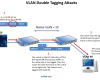
VLANs are used for Layer 2 logical segmentation. Each VLAN forms its own broadcast domain. Communication between VLANs is only possible by a router, such as a Layer 3 Switch or a […]
There are many encryption and decryption tools around. PowerShell is a Windows built-in tool and you can use it for cryptography as well. In this blog post I am going to play […]

In this article, a certificate for a digital signature is created to digitally sign files with Windows PowerShell. A digital certificate is usually issued by a Certification Authority (CA). But in this […]
For some reason, I don’t like netstat. Never did. Fortunately PowerShell provides a similar command to netstat: Get-NetTCPConnection. Let’s discover the options of this command in form of this blog post.
One of the first things you learn in cisco lessons is how to create login banners. A banner is a message shown to a user who is using the device. In this article I […]
With Windows Server 2016 there is a new Feature called Privileged Access Management Feature. This feature is only available in Active Directory Environments running Windows Server 2016 Forest Mode. This guide shows […]

“Only Domain administrators can add computers to the domain.” I can’t count how often I have heared these words. But when installing a new domain, a counter is configured and this counter allows each domain user to add up to 10 computers to the domain. This is the default setting.
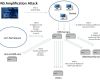
Der DNS Dienst ist in Segen. Ohne DNS müssten sich Menschen IP-Adressen merken, oder altmodisch Hosts Dateien bearbeiten. DNS bietet also Komfort. Aber leider sind Komfort und Sicherheit keine Freunde. Das bekamen […]

This step-by-step guide demonstrates how LAPS can be integrated in an Active Directory domain. Passwords in an Active Directory domain are stored centrally. But what about the local account of the administrator? Many use the same password on all computers. A nightmare in terms of IT security. LAPS stores local administrator passwords centrally for all domain computers.

Awarded the Microsoft MVP for PowerShell and Microsoft 365.




 SID-500.COM