
There are many encryption and decryption tools around. PowerShell is a Windows built-in tool and you can use it for cryptography as well. In this blog post I am going to play […]

There are many encryption and decryption tools around. PowerShell is a Windows built-in tool and you can use it for cryptography as well. In this blog post I am going to play […]
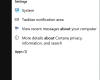
While reading great news and improvements about the Windows 10 Fall Creators Update (1709), it might be useful to find out if the update is already installed or not.

One of the first things you learn in cisco lessons is how to create login banners. A banner is a message shown to a user who is using the device. In this article I […]
If you want an application always started and available then this article is for you. Sometimes an application is mistakenly closed by the user. This article shows a step-by-step scenario how to […]
Ein Dummyfile ist eine Datei mit beliebiger Größe. Ich verwende diese Dateien häufig als “Platzhalter”. Läuft die Festplatte voll, dann lösche ich die Dummydatei und habe wieder “Luft”.
For restarting your computer, you can simply click the Start Button and afterwards On/Off. In this article it’s all about Windows PowerShell, so we focus on two commands: Restart-Computer and Stop-Computer.

Often executed – often not well interpreted. What is Ping? Ping is the network troubleshooting tool No. 1. Ping sends ICMP packets to an IP device. In the hope that the remote device responds. But what does the error code request timed out mean? And what means destination host is unreachable?

This article shows how to enable Remote Desktop on Windows Server systems and Windows 10, and how to establish a remote desktop connection. Do you remember the administrators, who ran from one system to another?
With PowerShell 5.0 two new commands are introduced: Compress-Archive and Expand- Archive. Both commands can – like WinZip or 7-Zip – compress and decompress data.

On every windows system there is a small but useful feature called Ease of access. If you want a high-contrast theme, optimized visual display or closed captions, then “Ease of access” is your […]
What to do if ping returns general failure? One of the most common command line tools on all platforms is the command ping. Ping tests the network connectivity between systems. In this arcticle, I describe the most common configuration errors, which cause the general failure.
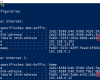
Windows macht mal wieder alles anders. Link-Local Adressen werden bei den meisten Betriebssystemen aus der MAC-Adresse konfiguriert. Nur Windows tut das nicht, wie ich im Beitrag Windows und die IPv6-Adressen (EUI-64) beschrieben habe. Und […]

This blog post describes how to join a computer to the domain by using the graphical user interface or running a simple One-Liner in Powershell.
Under certain circumstances the installation of software can only take place at a specific time. This article describes the establishing of a scheduled installation on the localhost and on remote hosts.
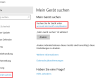
Seit Ende letzten Jahres habe ich ein Surface Book. Eigentlich kennt man die Geräte-Suche von Mobile Devices, aber auch Windows 10 unterstützt die Suche eines Gerätes, wenn man es nicht mehr findet. […]

Awarded the Microsoft MVP for PowerShell and Microsoft 365.




 SID-500.COM