
As the headline says, I am going to show you which tools are no longer needed when you are familiar with PowerShell. No long speeches today, just examples. I’m pretty sure some of […]

As the headline says, I am going to show you which tools are no longer needed when you are familiar with PowerShell. No long speeches today, just examples. I’m pretty sure some of […]
What actually happens in the background when a domain client authenticates itself to the domain? That’s the question for today’s post. Ok, let’s go into the details. We assume that the computer has […]

With WSUS you are able to document the updates status of your computers. But what to do if there is no WSUS available? In this article I describe how to get a […]
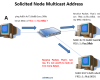
IPv6 enabled devices generate Link-Local addresses automatically. Not just Link-Local Addresses, but also a Solicited Node Multicast Address. Solicited Node Multicast Addresses are used by the Neighbor Discovery Protocol (NDP) to discover […]

This week I had the task to delete print jobs from the queue. However, some of them could not be removed. So I decided to write an article about it and also […]
In one of my previous blog posts PowerShell: Documenting your environment by running systeminfo on all Domain-Computers I have described how to list important system information of all Domain Computers by running systeminfo. […]
I’ve experienced that many people deliberately disable the Windows firewall. They don’t want to get annoyed with it, if something don’t work as expected. But there’s nothing to worry about, because it […]
Firewalls control traffic. They use technology such as Stateful Inspection to establish a connection to other networks. In this article I describe how to configure the host-based Windows Firewall by using Windows […]
Is Ping a reliable way to check if a computer is available? Opinions differ … This blog post is all about ping and arp. Of course with PowerShell. The upcoming script could […]

As the headline says, there are new features available in December update of Honolulu. Honolulu is a web-based management tool which enables you to administer your infrastructure in a very comfortably way.
Microsoft Advanced Threat Analytics (ATA) is a platform that enables you to protect your infrastructure from cyber attacks. ATA is using a parsing engine to capture network traffic of protocols such as […]
Will you be notified when there are changes to group memberships? No? Memberships in groups are particularly interesting. Especially if it is the group of the domain administrators. The following article shows […]

In most cases a blue screen is caused by hardware or driver failure. In this article I show how to find out the cause of the blue screen by using the tool […]

Administering your Azure VM on your Samsung Galaxy or iPhone? Introduced with Windows Server 2012, PowerShell Web Access is a new Windows Server feature which enables you to administer your Windows Server […]

I’ve been thinking about it for a long time. What schould I do with my new Azure computer? Surely I’ll come up with something over time. But for now I still don’t […]

Awarded the Microsoft MVP for PowerShell and Microsoft 365.




 SID-500.COM