It can happen that files have to be deleted regularly or copied somewhere else. This is no problem in itself, as long as you know a little about scripting. But many people […]

It can happen that files have to be deleted regularly or copied somewhere else. This is no problem in itself, as long as you know a little about scripting. But many people […]
In articles, blogs and forums I often read that Windows forms the IPv6 address from the MAC address. This process is called EUI-64, and the assumption that Windows (Vista and above) use […]

Enivornment Variables make life easier. In this article I describe how to use environment variables in daily work. And I am going to show some useful examples.
As the headline says, I am going to show you which tools are no longer needed when you are familiar with PowerShell. No long speeches today, just examples. I’m pretty sure some of […]
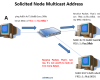
IPv6 enabled devices generate Link-Local addresses automatically. Not just Link-Local Addresses, but also a Solicited Node Multicast Address. Solicited Node Multicast Addresses are used by the Neighbor Discovery Protocol (NDP) to discover […]

This week I had the task to delete print jobs from the queue. However, some of them could not be removed. So I decided to write an article about it and also […]

Last week I got my new Surface Pro. At the same time I decided to give up my iPad Air. My plan is to do everything quick on my new iPhone X […]
In one of my previous blog posts PowerShell: Documenting your environment by running systeminfo on all Domain-Computers I have described how to list important system information of all Domain Computers by running systeminfo. […]
Firewalls control traffic. They use technology such as Stateful Inspection to establish a connection to other networks. In this article I describe how to configure the host-based Windows Firewall by using Windows […]
Is Ping a reliable way to check if a computer is available? Opinions differ … This blog post is all about ping and arp. Of course with PowerShell. The upcoming script could […]

As the headline says, there are new features available in December update of Honolulu. Honolulu is a web-based management tool which enables you to administer your infrastructure in a very comfortably way.

In most cases a blue screen is caused by hardware or driver failure. In this article I show how to find out the cause of the blue screen by using the tool […]
In this article I would like to enlight the purpose of temporary IPv6 addresses. By default, automatic IPv6 setup of Link-Local Addresses is activated on each IPv6 enabled device. This makes IPv6 […]

Most of us use https. Almost every communication is secured and encrypted with https. In this article I would like to discuss the HTTPS process in more detail and what role certificates […]
There are many encryption and decryption tools around. PowerShell is a Windows built-in tool and you can use it for cryptography as well. In this blog post I am going to play […]

Awarded the Microsoft MVP for PowerShell and Microsoft 365.